
Food and Delivery — SaaS
mipOS Restaurant POS: 70% Conversion Rate
POS system design for the next generation of restaurants. Modern point-of-sale supporting legacy operating systems.
- Impact
- 50.25% new clients
- Timeline
- Product in 4 months
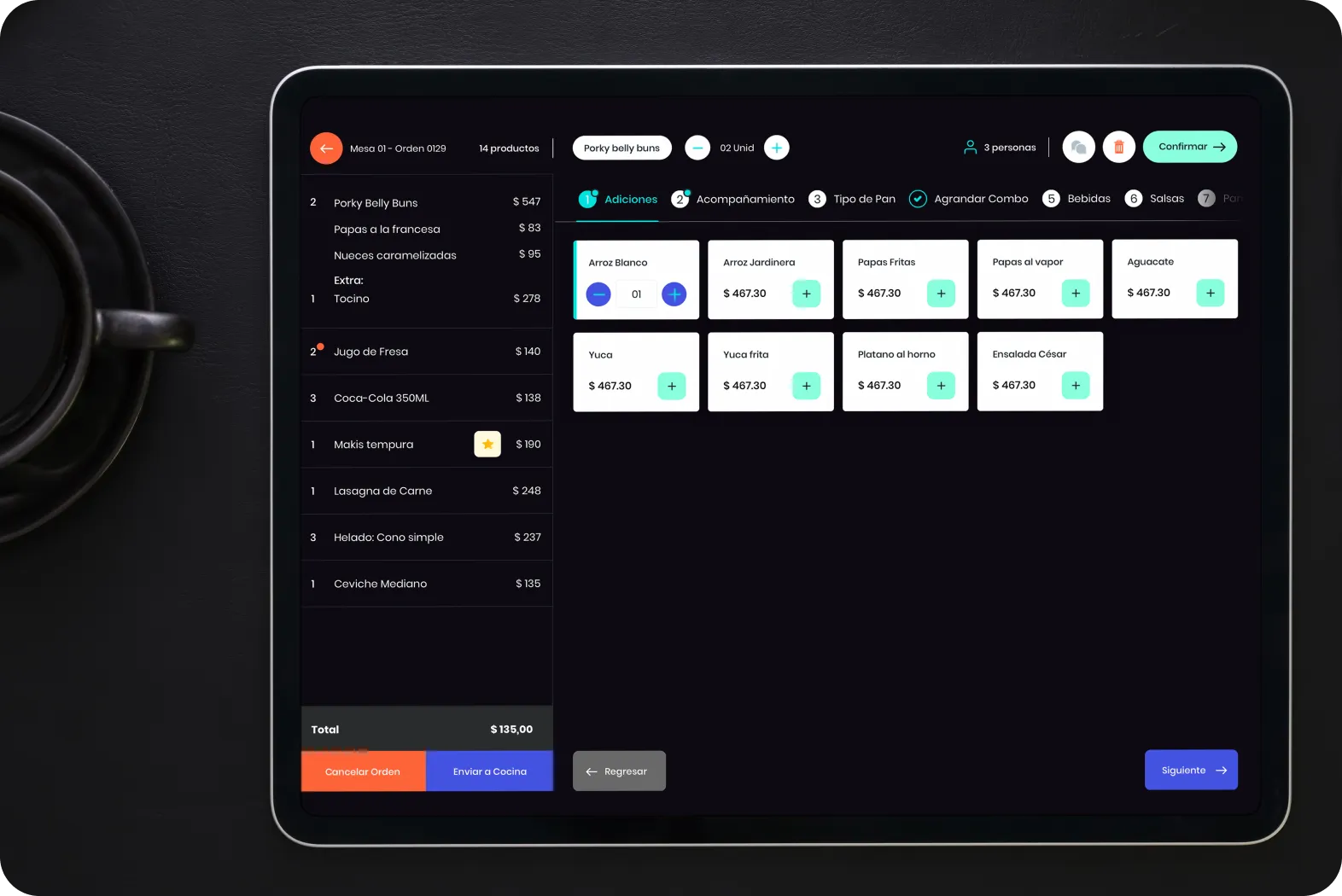
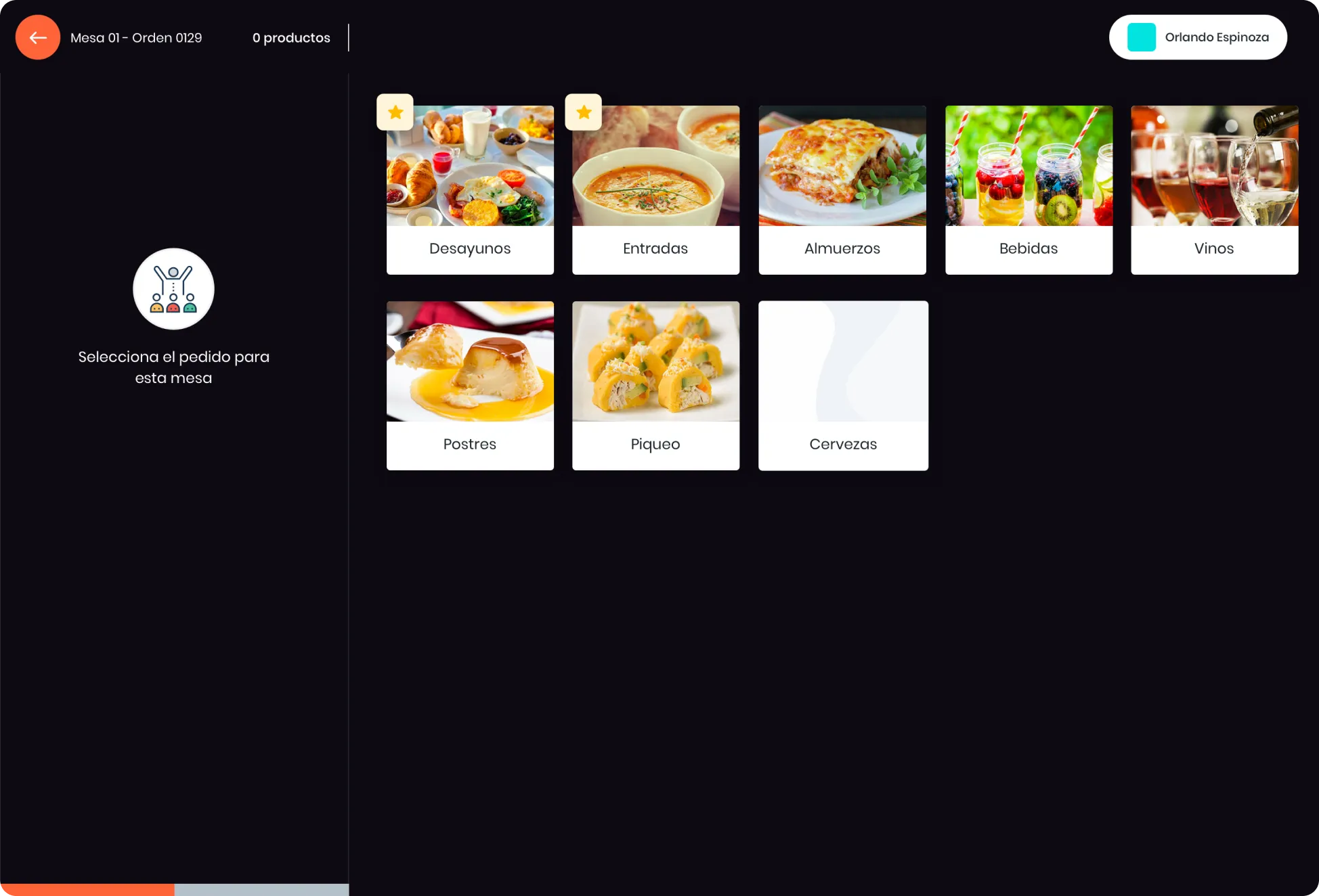
mipOS POS was born out of the need to solve two problems: fast order taking in restaurants and having a fast software that could run on any tablet. From mipOS POS waiters can clock in and out, take orders and also merge tables for very large groups.
Revolutionizing Restaurant Management
Most of the solutions on the market at that time were based on Windows 98 making simple things like support a complicated task. How to offer a solution that can be used from a tablet? With an easy and modern look and feel?
I want to grow as mipOSResults
- +70% conversion rate after Freemium.
- +67% increase in productivity when taking an order.
The team
- 5 developers
- 1 product designer by Comandos
- 1 User Research
Understanding a new type of user
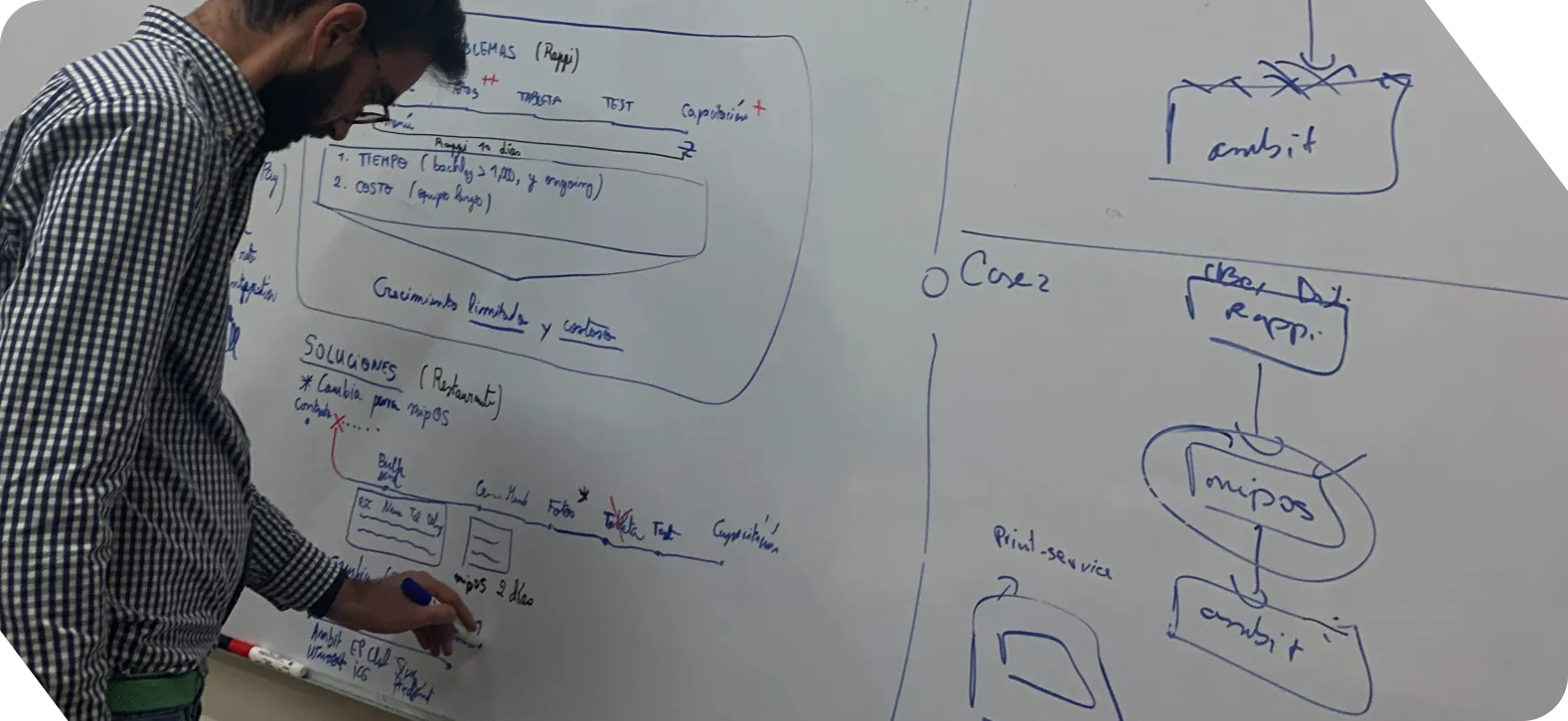
Getting ready: Where are we? and What will we need?
We took a whiteboard and lots of markers to organize the entire mipOS POS experience. It was key to identify key integrations, imperative restaurant needs and, above all, the engineering constraints to accomplish such an ambitious plan in just a few weeks.
We focused on acquisition, retention and portability. Because it's a different user experience on an iPad than on an inexpensive tablet.
Where shall we start this adventure?
We were competing with big brands that were very well positioned at the time, we focused on 3 pillars:
- Activation: : How do we shorten restaurant activation times in mipOS?
- Retention: : What do restaurants really need?
- Sales: : Restaurants have key dishes they need to promote. How do you know which dish is the most profitable?
STEP 01
The chicken or the egg?
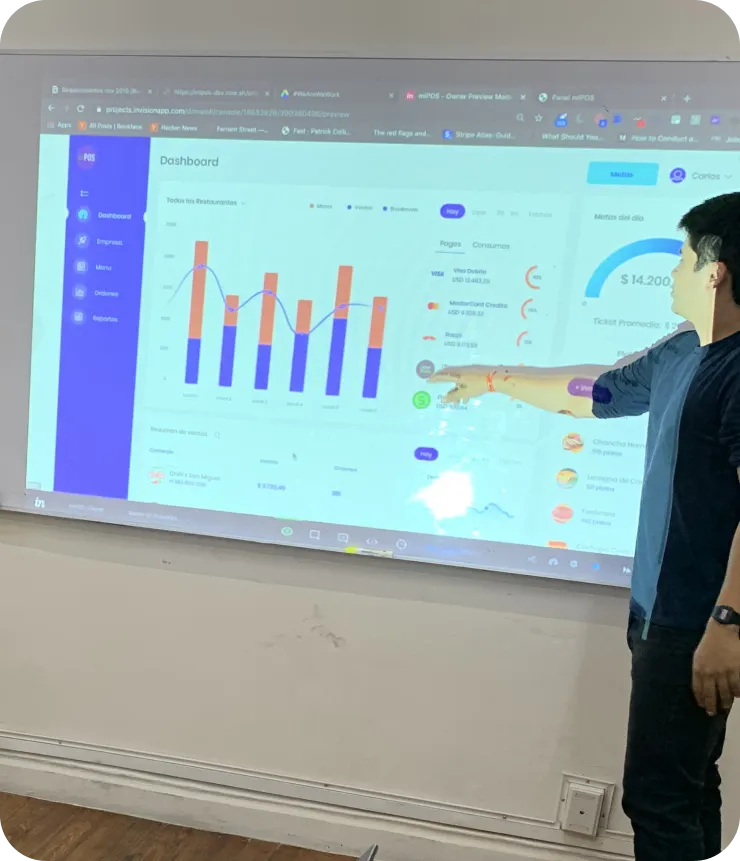
To start was to make prioritization decisions: Do we develop the table and order control module, or something where the restaurant has visibility and control of what is going on?
Taking into account that the restaurant manager is the one who pays for mipOS but what would give us product adoption was the table and order control module. We decided to go for the latter and that the manager's module would be automated from a base that was filled manually in the first stage.
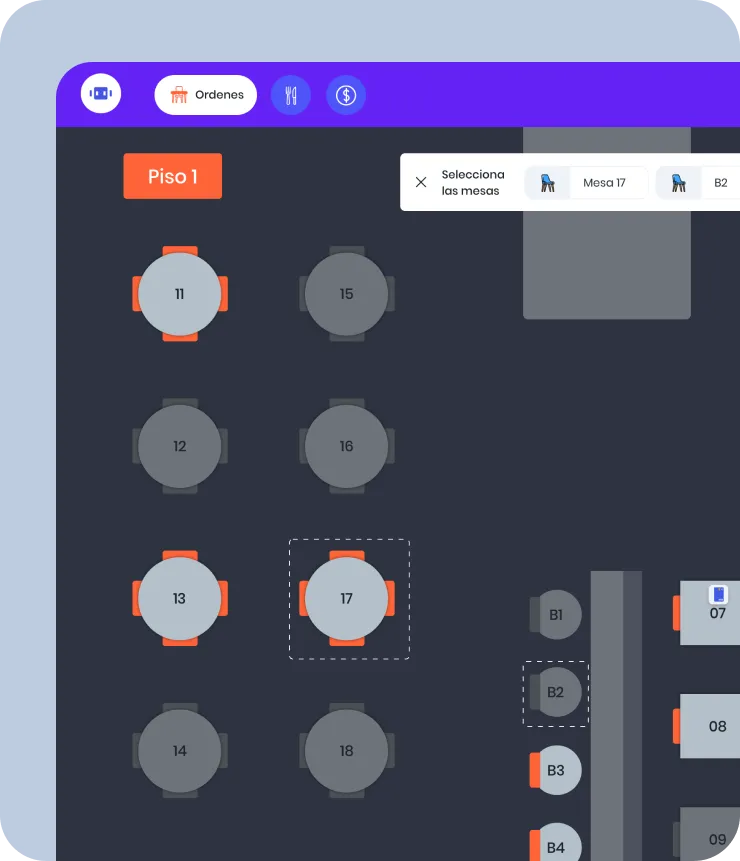
STEP 02
Context of mipOS POS according to usage
In our research, we noticed two important findings: Some restaurants had a somewhat dark ambience and a light design that caused eyestrain. Also, waiters were mostly right-handed and, according to established industry patterns, their right hand caused the order summary to be hidden.
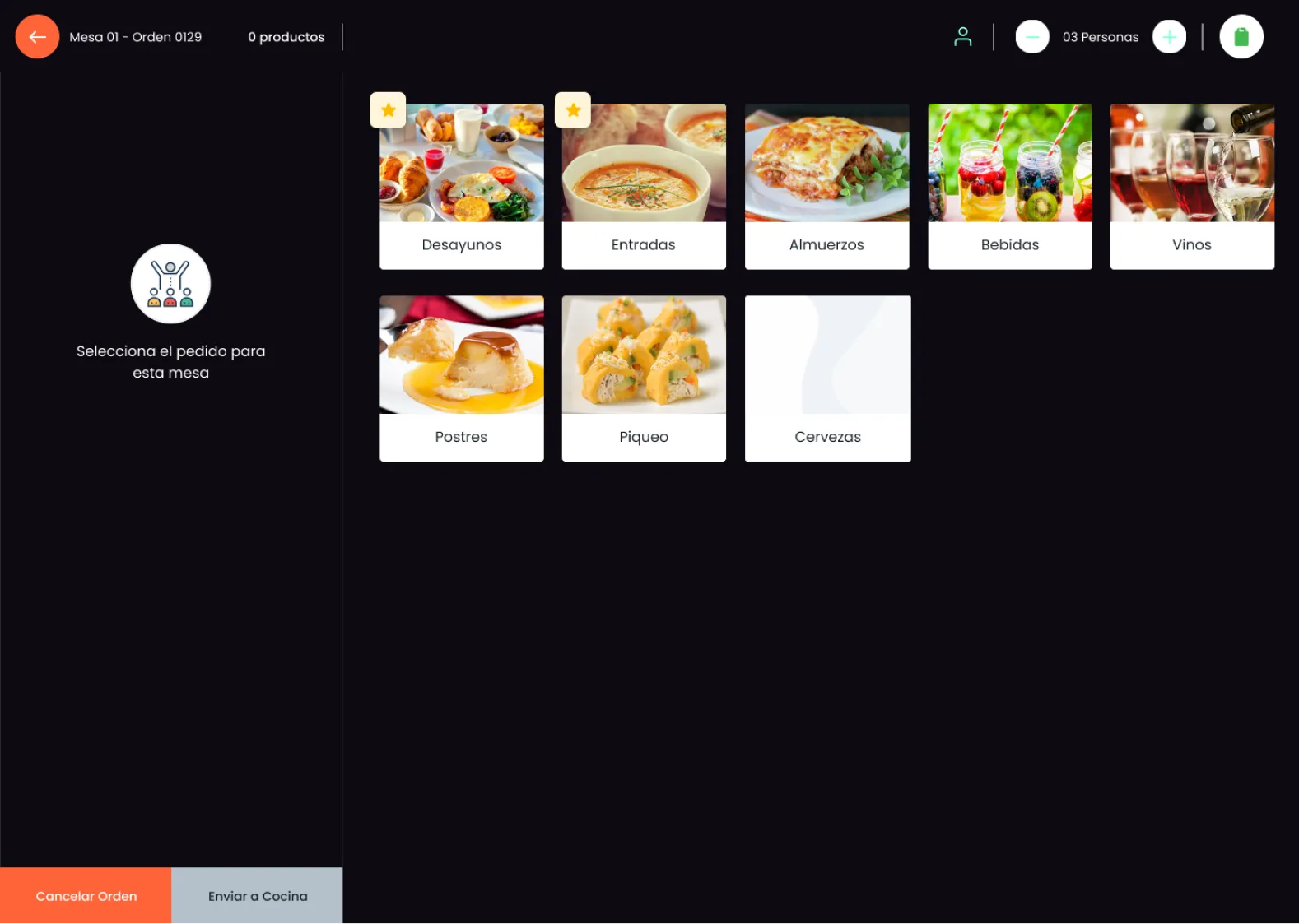
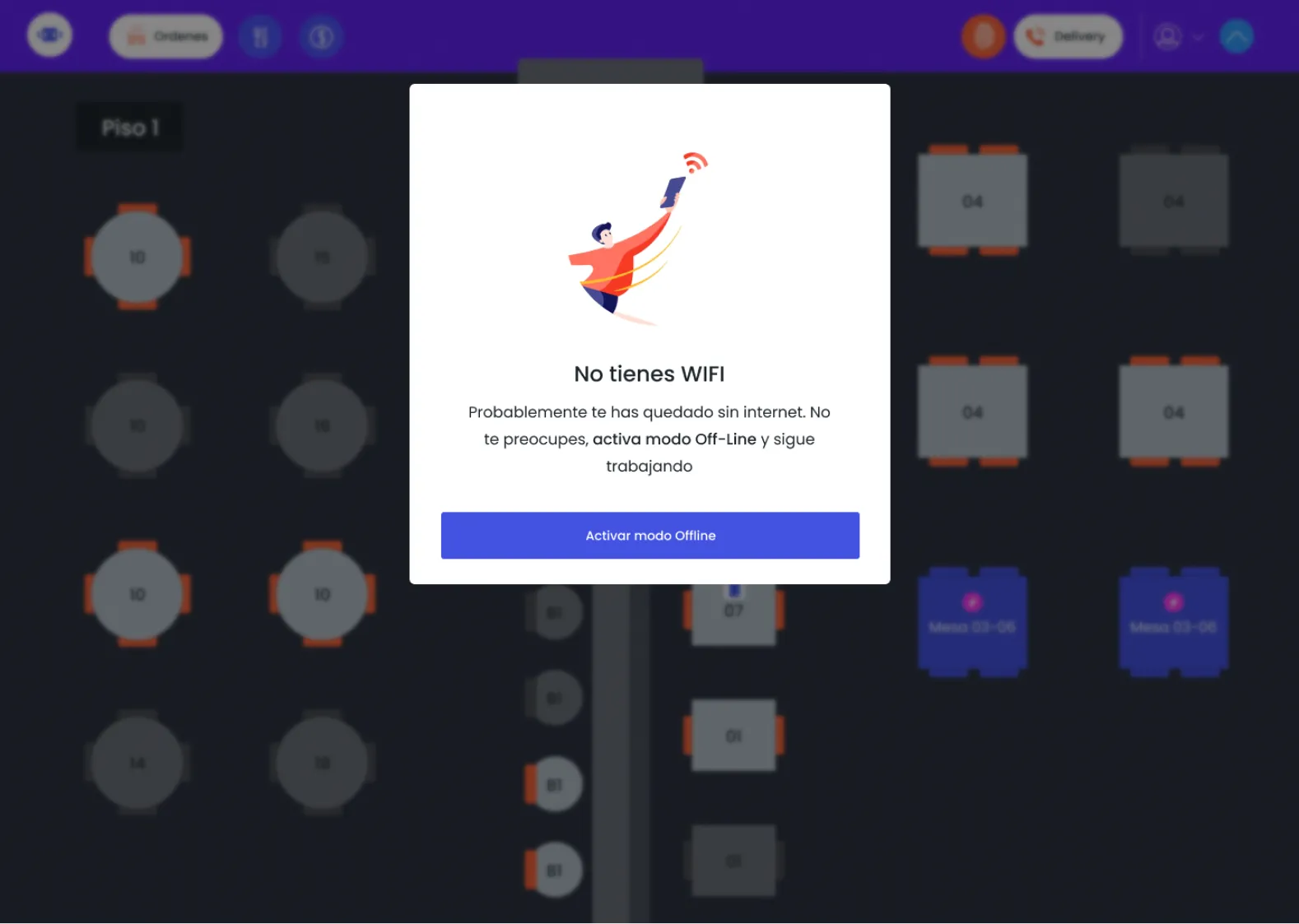
A great product in an underserved niche
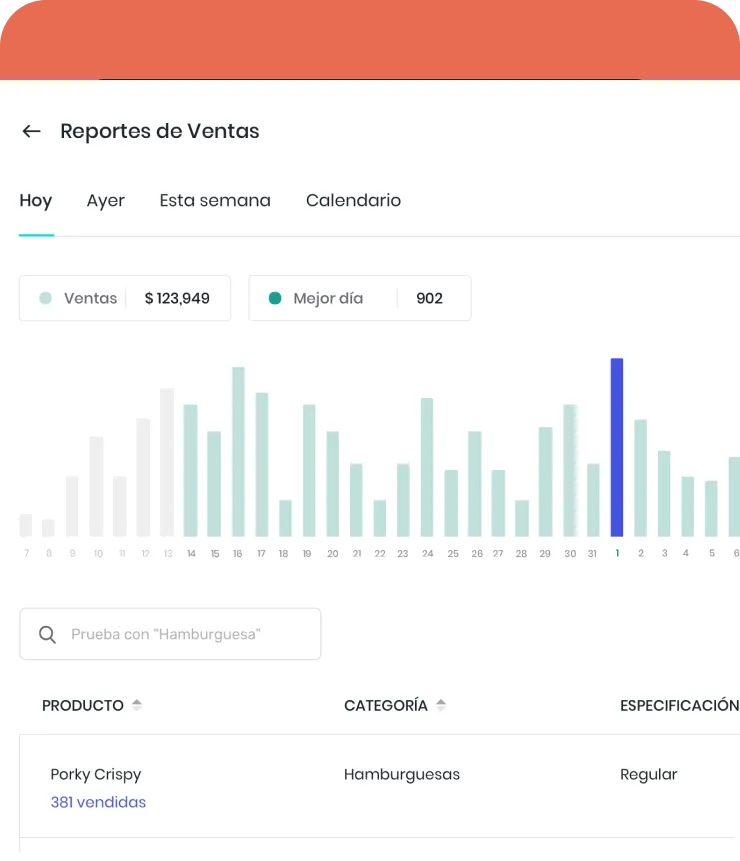
After a lot of usability testing, prototyping and rapid iterations we were very proud of what we delivered. We developed a sales reporting module for Restaurant Management and reduced up to 36% of errors when taking an order.
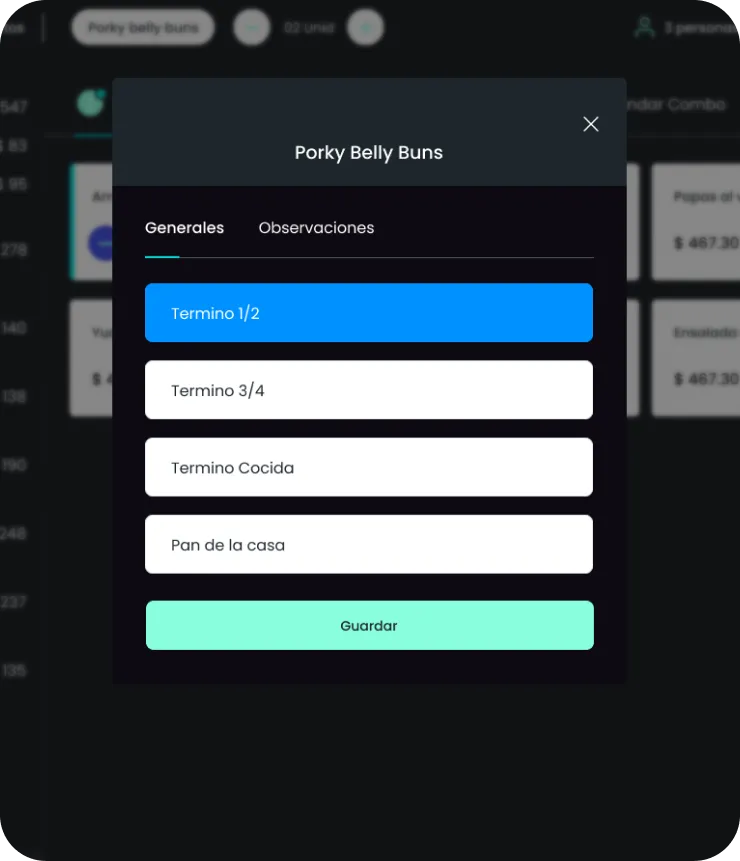
The entire menu is customizable according to the category of the dish. Do you prefer the meat of your Porky Belly Buns in Term 1/2?
A tablet-native Restaurant POS restaurants stayed with after the free trial
- 70% retention after free trial
- Restaurants kept mipOS after the 30-day free trial ended, choosing it over the Windows-98-era incumbents.
- +67% productivity in order taking
- Waiters took orders noticeably faster on mipOS vs. the previous stack of legacy POS software.
- Any tablet
- A product adapted to work on any tablet — from a flagship iPad down to an inexpensive Android device in a busy LATAM restaurant.
Keep exploring